SoundBytes is a sound board software that allows you to play your audio of choice into any audio input device present on your system. What makes it unique is that you can record a set duration of sound playing on your computer and trim it in real time and add it to your library to play it later.
An example of use for the program is to play audio clips to Discord voice channels.
Instructions:
- Install the VB-Cable Audio Driver
- Open the SoundBytes.exe file
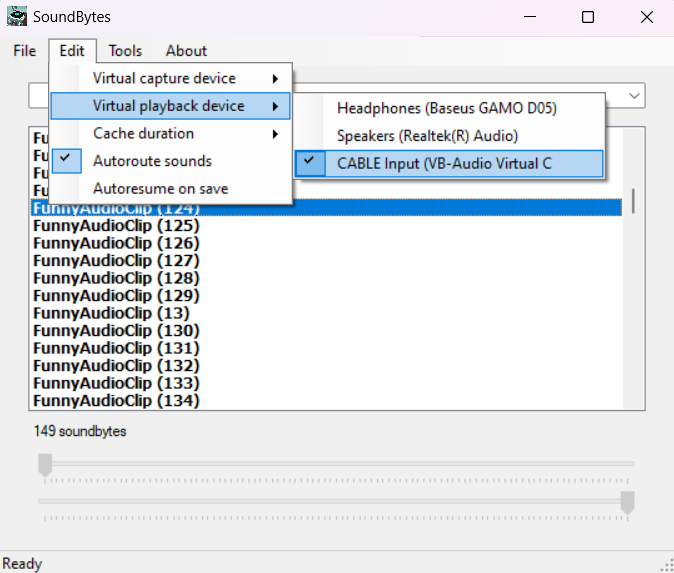
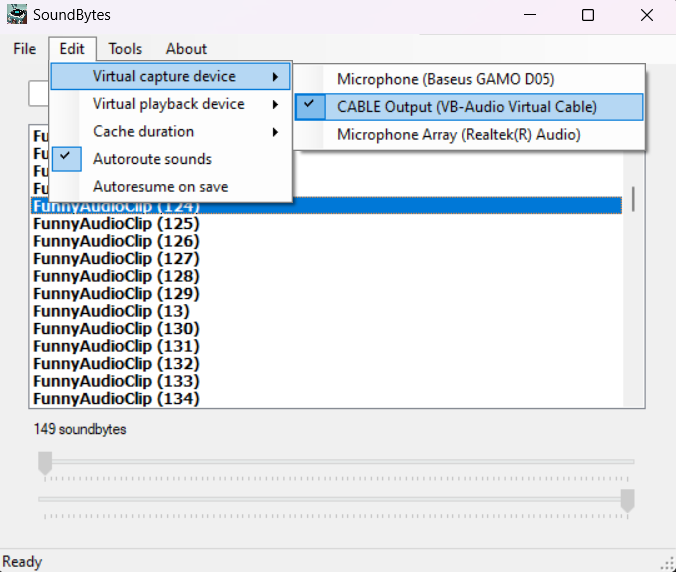
- Select 'CABLE Output' from the 'Edit'->'Virtual Capture Device' menu if it's not already selected and select 'CABLE Input' from the 'Edit'->'Virtual Playback Device' menu
- Specify the required audio cache duration in seconds from 'Edit'->'Cache duration' if you need to change it from the default of 10s
- Select your primary microphone from 'Tools'->'Failsafe capture device'
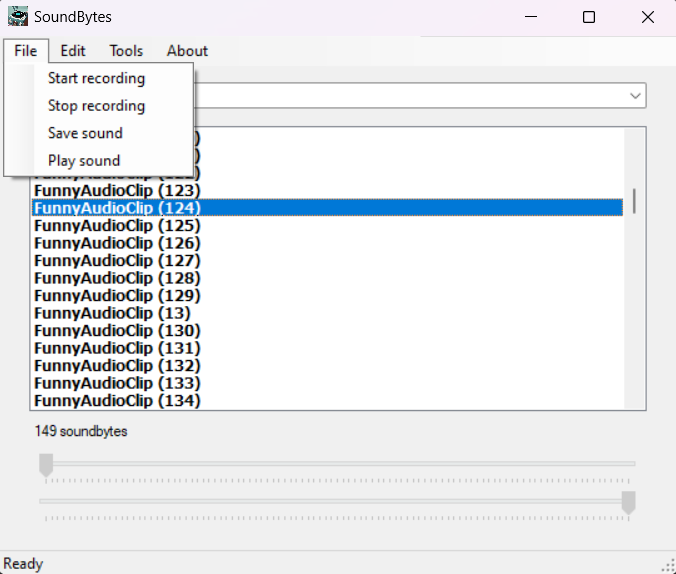
- Start recording by clicking 'File'->'Start recording'
- If something interesting got played recently (within the specified cache duration), click 'File'->'Stop recording'.
- Trim the audio cache using the start and end trackbars provided at the bottom of the program window. You will hear the trimmed audio each time you change their positions. When you're satisfied with the clip, click 'File'->'Save sound'. A textbox window will popup prompting for a name. Type in a name you want to identify this sound byte with and press Enter.
- Select a sound byte from the listbox and click Enter or double-click to play. The sound will be played either to your default playback device (speaker) or the virtual playback device you specified from the 'Edit' menu depending on if you left the 'Edit'->'Autoroute sounds' menu unchecked or checked it. If you want to route the sound byte you play to an app such as Discord, you'll want to set its Input Device to 'Default' since SoundBytes sets the default input device of the system to the one you selected from the 'Edit'->'Virtual Capture Device' for the duration of its runtime
- You can easily remove any sound byte by pressing the Delete key on any selected item
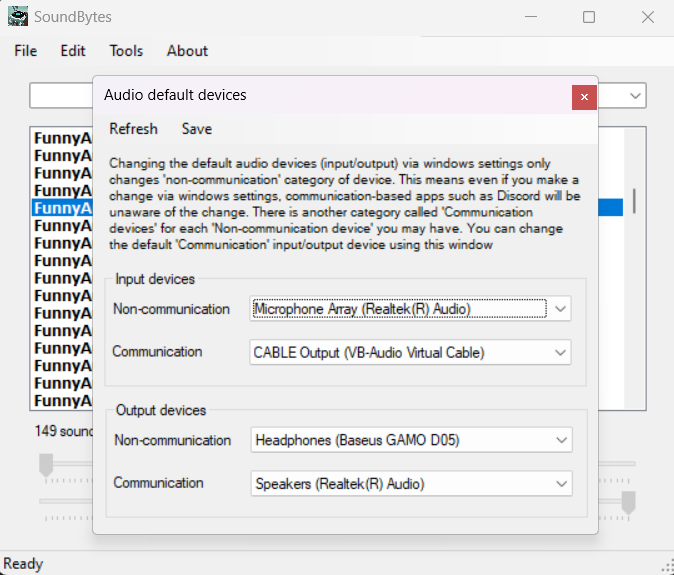
- For convenience, you can check/modify the system's default audio capture and playback devices from the 'Tools' menu
Downloads:
Download the fully functional 15-day trial version
Like the software?
Send an email with your HWID to buy the yearly license.